

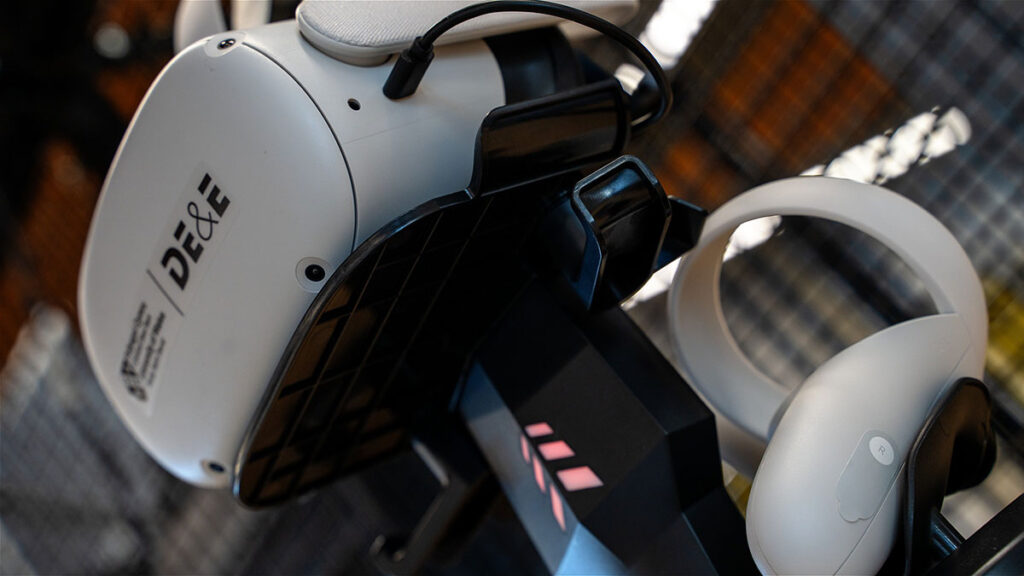
At UWTSD, our primary VR headsets available to loan are the META Quest 2.
Please familiarise yourself with the manufacturer’s Health and Safety Guidelines.
Ensure the headset is properly adjusted to fit the user by modifying the straps, position, and lenses. The headset should be comfortable, and the text on the screen should appear clear.
If the headset cannot be adjusted for a secure and clear fit, the user should not use VR. A proper fit is essential for a safe and effective experience.
If the user cannot understand or respond to the health and safety guidelines, they should not use VR. Clear comprehension is essential for a safe and responsible experience.
……………..
The team takes extensive measures to minimise risks and mitigate any incidents when implementing Virtual Reality (VR). However, to ensure a safe and enjoyable experience for everyone, we ask that all participants familiarise themselves with further essential safety precautions and recommendations.
Ensure that there is a minimum of 2.5 meters of unobstructed space surrounding each individual VR user.
Ensure that all VR equipment, including headsets and controllers, are properly secured and adjusted before use.
Remain within designated safe areas to prevent collisions with objects or other participants.
If using a tethered connection to a device, ensure that there is enough cable length from the device to the VR headset to adhere to User Environment guidelines
Ensure wireless headsets have enough battery to prevent abrupt shutdowns.
Flashing lights and rapid visual effects may trigger seizures in individuals with photosensitivity or epilepsy. Mitigation is taken to reduce the risk of flashing and triggering imagery within VR experiences and applications; however, it cannot be ruled out, especially with 3rd party content.
If unsure, it is recommended that users with a history of epilepsy or photosensitivity consult with a doctor before engaging in VR experiences.
It is advised that users take breaks after 15-20 minutes, as prolonged use can lead to dizziness, nausea, disorientation and motion sickness.
Start with short 5-minute sessions, followed by a break, and gradually increase usage time.
Adjust the headset for proper fit to avoid eye strain and discomfort.
It is advised that users remove themselves from VR to avoid eye strain, as the VR headset interior screens can emit a vibrant and constant light.
Adjust the headset for proper fit to avoid eye strain and discomfort.
Avoid VR experiences that may trigger anxiety, phobias, or distress.
Even though content is designed and sourced carefully, it is possible that some users will find specific content intense or disorienting.
Stop using VR if you experience heightened anxiety, confusion, or emotional distress.
Regular cleaning of the headsets and controllers with alcohol-free wipes.
User-removable face covers to maintain hygiene, especially in shared environments.
We encourage users to be mindful of their own health and limitations, and it is an option to opt out of activities if they feel unwell or unsure.
It is strongly advised that users notify a staff member of any conditions (e.g., epilepsy, vertigo, or photosensitivity) or levels of anxiety that might affect their experience, so that proper precautions can be taken.
Ensure users know whom to approach if they need help or need to exit the experience quickly due to health concerns.
For further information from META regarding the manufacturer’s VR headset Health and Safety guidelines, please visit Meta’s Website.